


Star Gazer - Astronomy Sky Map
4.53.42K Reviews
App Specs
- Version
- 3.0.1
- Updated On
- License
- Free
- Downloads
- 5,000,000+
- Developer
- LeoStudio Global Ltd.
- Categories
- Tools
- Platform
- Android, iOS
Screenshots

 Analysis by AppCompare
When I look up at a clear night sky, the first obstacle is usually not finding stars but knowing what I am looking at. I can recognize the Moon and a few bright points, yet that does not tell me whether I am seeing a planet or which constellation sits overhead. Star Gazer - Night Sky View is made for that moment: it turns a casual glance into a chance to identify and learn about the sky, without requiring me to start with an astronomy book.
A quick answer when the sky is unfamiliar
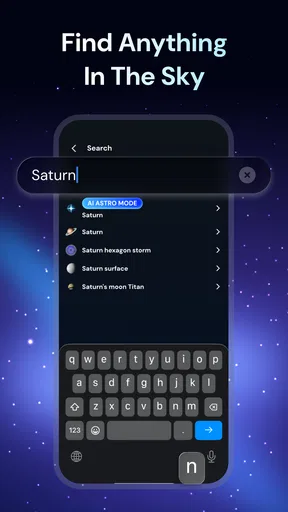
As a free astronomy tool from LeoStudio Global Ltd., the app is aimed at curious beginners as much as people who already enjoy stargazing. Its focus is immediate recognition: use the phone as a guide, orient it toward the sky, and explore the celestial objects shown on screen. That is a more direct starting point than searching a general web page for a bright object and trying to match it to the view above me.
This kind of help is most useful when I am outside and have a specific question. On a walk after dinner, for example, I might notice a bright light above the rooftops and want to know what it is before I get home and forget. An interactive sky view makes that small curiosity easier to follow through on. It does not replace learning the sky, but it can give me a reason to pause, look carefully, and build familiarity over time.
Start with a small, useful routine
I would begin by opening the app outdoors and pointing the phone toward a part of the sky I can already see clearly. Rather than trying to explore everything at once, I would pick one bright object, check its label, then move on to one nearby constellation or planet. That simple routine keeps the screen from becoming the whole activity. The point is to use the display to connect names and positions with what my eyes can actually see.
For a first session, it helps to treat the app as a guide rather than an authority that removes every bit of guesswork. A phone can be awkward to hold steadily while looking upward, and a bright display can compete with the dark sky if I keep checking it. I would lower the screen between checks and give my eyes time to adjust. The night-vision option is relevant here: it is intended to reduce the impact of screen light, though I would still use the phone sparingly if preserving dark adaptation matters to me.
Useful beyond identifying a bright point
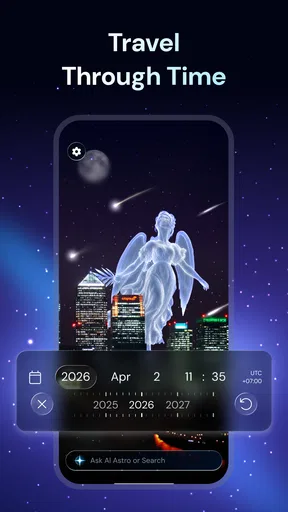
The time-travel view gives the app another purpose besides answering “what is that?” I can use it to compare the sky at different dates and locations, which is handy when planning a future observing evening or revisiting a memorable date. It is also a more concrete way to understand that the sky changes with time and place, rather than treating a star map as a fixed picture. I would use this feature indoors for preparation, then switch to the live view outside.
That workflow is a practical trade-off: planning on a screen is comfortable, while matching the map to the real sky is where the app becomes engaging. If I am sharing the experience with someone else, I can use the information attached to objects as a prompt for conversation instead of trying to memorize facts in advance. The learning material and audio guides also give different ways to explore, although I would not assume that listening is ideal in every setting; outdoors, reading a short description may be less disruptive.
Worth Reading Before You Choose

Baby Panda World Brings Quick Play to Modern Phones, but Its Game Library Feels Busy

ESPN’s Live Game View Makes Following Close Games Easier

QuizzLand Review: A Good Fit for Short Trivia Breaks, Not Every Player

Basketball Stars: Multiplayer Is Fast, but Can It Recover When Matches Go Wrong?

WEBTOON Turns Phone Updates Into a Better Reading Routine

Link to Windows Runs on Shared Habits, Not Social Feeds
Who will get the most out of it
I see this as a good fit for people who want an approachable way to make an evening outside more interesting, families introducing children to constellations, and beginners who feel lost when looking at a star chart. It can also suit someone who likes to check the sky before an outing and wants a visual reference rather than a dense astronomy guide. The app is rated for Everyone, so its subject and presentation are intended for a broad audience.
On the other hand, I would not choose it as my only tool if I needed a rigorous observing plan, specialist astronomy data, or a screen-free way to navigate the night. A printed chart or a dedicated astronomy reference can be better when I want to learn without handling a phone, and an experienced observer may prefer tools built around more technical information. The average rating is 3.7 from around 40,000 ratings, with roughly 2,900 written reviews, so I would approach it as a popular but not universally loved option rather than assume it will suit every preference.
It has more than 5 million installs, and its current version is 2.1.2, which requires Android 7.0 or later. The app is free to download, with optional in-app purchases ranging from $0.99 to $24.99 per item. I would start with the free experience and decide whether I actually use it regularly before considering any paid extras. That is especially sensible for a tool whose value depends on whether I enjoy taking my phone outside and checking the sky.
What I would keep in mind is that a sky-identification app can make discovery easier, but it cannot make every night a good observing night. Clouds, city lighting, and an obstructed view still limit what I can see with my own eyes. The most satisfying use is to identify something visible, then look away from the screen and try to find it again. That small habit turns a quick lookup into practice and helps me rely less on the phone over time.
Have you ever found yourself looking up at the night sky, wondering what all those twinkling lights are? Well, wonder no more because I've got just the app for you. Let me introduce you to Star Gazer - Night Sky View. This app is like having a personal planetarium right in your pocket. Whether you're a seasoned astronomer or just a curious stargazer, this app promises to make your celestial explorations a whole lot more engaging.
Getting Started with Star Gazer
First things first, let's talk about getting this beauty on your phone. The installation process is a breeze. Just head over to the Google Play Store or Apple’s App Store, search for Star Gazer - Night Sky View, and with a tap of a button, you're ready to explore the cosmos. Once installed, the app greets you with a sleek interface that's both intuitive and user-friendly. No need to be a tech wizard to navigate this one.
Features That Sparkle
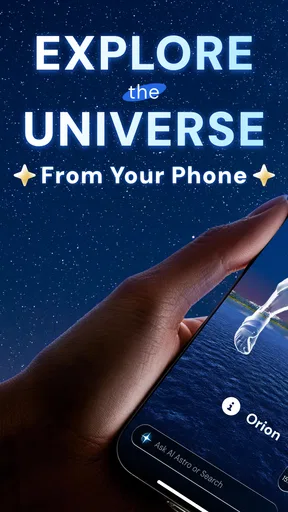
Now, let’s dive into the features that make this app shine. One of the coolest aspects is the augmented reality star map. Just point your phone towards the sky, and voilà! The app overlays constellations, planets, and stars onto your screen. This makes it super easy for anyone to identify celestial bodies. Wondering about a particularly bright star? Tap on it, and you'll get a detailed description along with some fascinating trivia.
Another feature that I absolutely love is the time travel option. Want to know what the sky looked like on the day you were born? Or maybe you’re curious about how it’ll look on a future date? With a few taps, you can jump through time and explore the night sky from any date and location. It's like having a time machine, but for stars!
Bringing the Universe Closer
For those who love to learn, the app also offers educational content. Each star and planet comes with detailed information, and there are even audio guides if you prefer listening over reading. This makes stargazing not just fun, but also a learning experience. You can impress your friends with your newfound knowledge about the constellations and their mythological stories.
Not to forget, Star Gazer has a community feature where users can share their observations and experiences. It’s a nice way to connect with fellow star enthusiasts, exchange tips, and maybe even plan a group stargazing event. The social aspect adds a layer of interaction that can enhance your stargazing journey.
The Little Extras
The app doesn’t stop at just showing you the stars. It also includes a night mode to preserve your night vision, ensuring you get the best stargazing experience without the glare. And for those who like to document their adventures, there’s a built-in photo capture feature. Snap pictures of the sky with the constellation overlays and keep a digital diary of your celestial adventures.
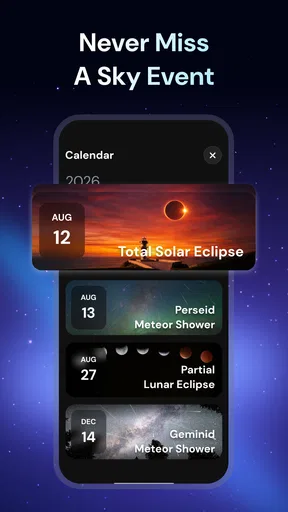
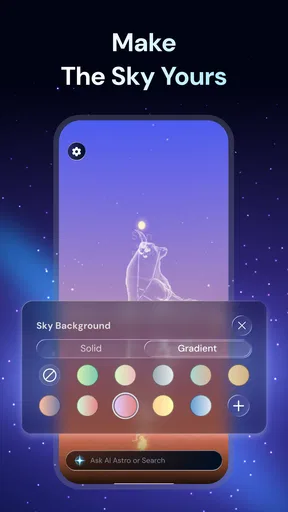
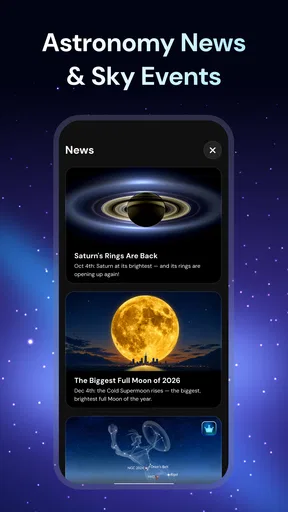
Plus, if you're someone who loves to customize, you can adjust the settings to match your preferences, like changing the display themes or notifications about upcoming celestial events. This way, you never miss a meteor shower or a planetary alignment.
Less screen time, more sky time
One practical way to get more from the map is to use it in short bursts. I would first scan the screen for a few seconds, note the direction and shape of a constellation, then lower the phone and look for that pattern directly. Repeating that check with one or two objects gives me a simple observing exercise rather than turning the night into a series of taps. It also makes the app more useful on a casual outing, when I do not want to spend the whole walk staring down at my phone.
The photo option can serve a different purpose from ordinary night-sky photography: it lets me keep a record of what I was exploring, with the map information as part of the experience. I would treat those captures as notes or keepsakes, not expect them to replace a camera or produce a detailed astronomical image. A phone screen can help explain what is in a scene, while the actual visibility of faint stars still depends on the conditions around me.
Where the convenience has limits
Compared with a basic star chart, the app offers a more immediate, interactive way to connect a screen position with an object in the sky. Compared with a general search, it reduces the back-and-forth of describing a bright point and comparing results. But the convenience comes with a compromise: I need to bring and handle a phone, and an on-screen overlay is only helpful if I can orient it comfortably and still see the sky. For a quiet, screen-free session, a paper chart may feel less distracting.
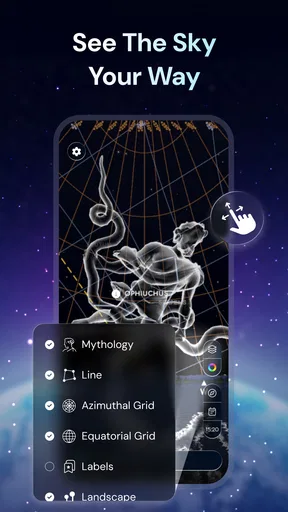
I would also be selective about the social side. Sharing observations can make a hobby feel less solitary, especially when I am learning, but someone who wants only a quick identification can ignore that part and keep the experience focused. Likewise, event notifications and display preferences are useful only if they fit how I like to stargaze. I would set up the few options I care about, then avoid spending an evening tuning settings instead of looking up.
For a family outing, I would let one person hold the phone and have everyone else search for the same pattern overhead. That avoids passing a bright screen around constantly and gives children a small challenge: identify the shape on the display, then find it without help. On a solo walk, the better use may be simpler—check one object, save the detail for later, and keep moving. These different routines show why the app works best as a prompt for observation, not as the activity itself.
Final Thoughts
So, is Star Gazer - Night Sky View worth the download? Absolutely! It brings the wonders of the universe right to your fingertips and makes stargazing accessible and enjoyable for everyone. Whether you're an astronomy buff or just someone who enjoys a good night under the stars, this app is your ticket to a more informed and exciting stargazing experience. So, grab your phone, head outside, and let Star Gazer transform your night sky into a personal celestial playground. Happy stargazing!
A measured recommendation
My recommendation is enthusiastic but specific: I would install it if I often find myself curious about the sky and want a low-effort way to turn that curiosity into a short learning moment. It is less compelling if I rarely go outside after dark, prefer paper references, or need a technical observing companion. The useful test is not how many options I can explore on the first evening, but whether I keep using the map to recognize the same patterns on later nights.
As a tool, it earns its place by shortening the distance between noticing something overhead and having a plausible identity to explore. It does not remove weather, light pollution, or the need to look carefully, and I would not judge it by whether it makes every object easy to see. Used with that expectation, the mix of a visual sky guide, learning material, and time-based exploration makes Star Gazer - Night Sky View a friendly starting point for making ordinary evenings under a clear sky feel a little more intentional.
Pros
- Intuitive interface for easy navigation.
- Real-time sky updates enhance experience.
- Detailed constellation info with mythology.
- Offline mode available for remote areas.
- Customizable notifications for celestial events.
Cons
- Requires paid subscription for full access.
- Drains battery quickly during extended use.
- Limited language options available.
- Occasional inaccuracies in star positions.
- No integration with telescope devices.
FAQs for Star Gazer - Astronomy Sky Map
What features does Star Gazer - Night Sky View offer?
Star Gazer - Night Sky View provides a comprehensive set of features, including real-time star mapping, constellation identification, and augmented reality visuals. It also offers detailed information on celestial objects, a night mode to protect your vision, and the ability to track astronomical events like meteor showers and eclipses.
Is Star Gazer - Night Sky View suitable for beginners?
Yes, Star Gazer - Night Sky View is designed to be user-friendly for beginners. It includes an intuitive interface with easy navigation, guided tours of the night sky, and educational content to help newcomers understand celestial events and constellations. The app also provides tips and tutorials for optimal use.
Does Star Gazer - Night Sky View require an internet connection?
Star Gazer - Night Sky View primarily functions offline, allowing you to explore the night sky without an internet connection. However, some features, such as downloading updates or accessing additional educational content, may require an internet connection. Ensure your device is updated for the best experience.
What devices are compatible with Star Gazer - Night Sky View?
Star Gazer - Night Sky View is compatible with most Android and iOS devices. It requires a minimum operating system version, typically Android 8.0 or iOS 12.0 and above. Ensure your device meets these requirements for optimal performance and access to all features.
Are there any in-app purchases or subscriptions in Star Gazer - Night Sky View?
While Star Gazer - Night Sky View offers many free features, it also includes optional in-app purchases and subscription plans. These may unlock premium content such as advanced astronomical data, ad-free experiences, and exclusive updates. Users can choose to enhance their experience with these optional purchases.


